Use That Empty Banner Space on LinkedIn
By Cord Harper, CEO and Founder of Endeavor Agency
Use Your LinkedIn Banner Space in Your Job Search
If you don't have a banner/background image on your LinkedIn profile, it shows up as a band of nothingness. That's a missed opportunity. This space is prime marketing real estate for your job search, and most people leave it blank, which is a very big missed opportunity. Use this space to your full advantage in your job search.

Screenshot of empty banner and profile image on LinkedIn.
Why the Banner Matters More Than You Think
Eye-tracking research on recruiter behavior, including a well-known study from The Ladders, backs this up. That research tracked where recruiters actually looked and for how long and found that attention concentrates heavily on a small handful of elements: your photo, your name, and your title. The exact numbers vary by study, and most of this research was built around resumes rather than LinkedIn banners specifically, but the pattern holds across formats. Viewers spend a little less than 30 seconds looking at your profile, and a large share of that time goes to this small section at the top: your picture, your banner, and your headline.
Pictures can send a lot more information in that time than text. As the saying goes, a picture is worth 1,000 words. A recruiter scanning dozens of profiles isn't going to read your whole summary before deciding whether to keep looking. Your banner is often doing the talking before anyone reads a single word of your headline.
What Should Your Banner Say About You?
What would you like to convey in this empty space that makes you an interesting person?
- Are you a collector of classic cars?
- Do you like to go hiking in the mountains?
- Are you partial to a particular city and want to show off its skyline?
- Do you have a favorite vacation spot?
There are a lot of things you can say with this one picture. A hiking or mountain photo can suggest resilience, discipline, and someone who's comfortable pushing through a hard climb. That's a useful signal if you're in a field where grit matters. A city skyline can tell a recruiter you're open to relocating there, or that you're already rooted in a market they're hiring for. A classic car collection hints at patience and attention to detail, traits that translate well into a lot of executive roles. Even a favorite vacation spot says that you have a life outside of work, which can make you feel more like a real person and less like a resume.
The goal isn't to turn your banner into a highlight reel. One clear, well-chosen image usually beats a busy collage.
Should You Add Text to Your Banner?
Once the image is settled, a common question is whether to add words on top of it, like a tagline, your contact information, or a list of skills. Here's how to think about each one.
A short tagline can work if you keep it brief. A single line like "20 Years Leading Supply Chain Transformation" or "Turning Around Underperforming Sales Teams" can reinforce what you want to be known for. Keep it to one short phrase in a large, clean font, positioned in the center or right side of the banner so your profile picture doesn't cover it. One line is a tagline. Two or three lines start to look cluttered and compete with your headline for attention.
Contact information is a judgment call. Adding an email address makes it easier for a recruiter or hiring manager to reach you directly, and some executives decide that benefit is worth it. The trade-off is that a public email address can attract spam. If you go this route, keep it small and unobtrusive, positioned so it doesn't compete with your tagline or photo, and consider using an email you don't mind fielding some junk mail on.
Skip a literal skills list too. Words like "Strategy, Leadership, P&L Management" stacked on a banner tend to look cluttered rather than credible, and you already have a dedicated Skills section on your profile built for exactly this. If you want to hint at your expertise visually, a subtle icon or muted graphic tied to your industry does the job better than a list of words.
Your banner is a first impression, not a resume. Let the image and, if you use one, a single short tagline do the talking. Save the details for the sections of your profile built to hold them.
Get the Size Right
A background/banner image that looks stretched, blurry, or cropped wrong undercuts the whole effect, no matter how good the photo is. LinkedIn publishes its current recommended background photo dimensions and file requirements on its own help pages, and it's worth checking those directly since sizing can change over time:
A couple of practical tips regardless of the exact numbers LinkedIn lists at any given time:
- Upload your image at the recommended size instead of a smaller image that LinkedIn has to stretch. Stretching is what causes that blurry, pixelated look.
- Keep in mind that your profile picture will sit on top of the bottom-left corner of your banner, on both desktop and mobile. Don't put anything important there.
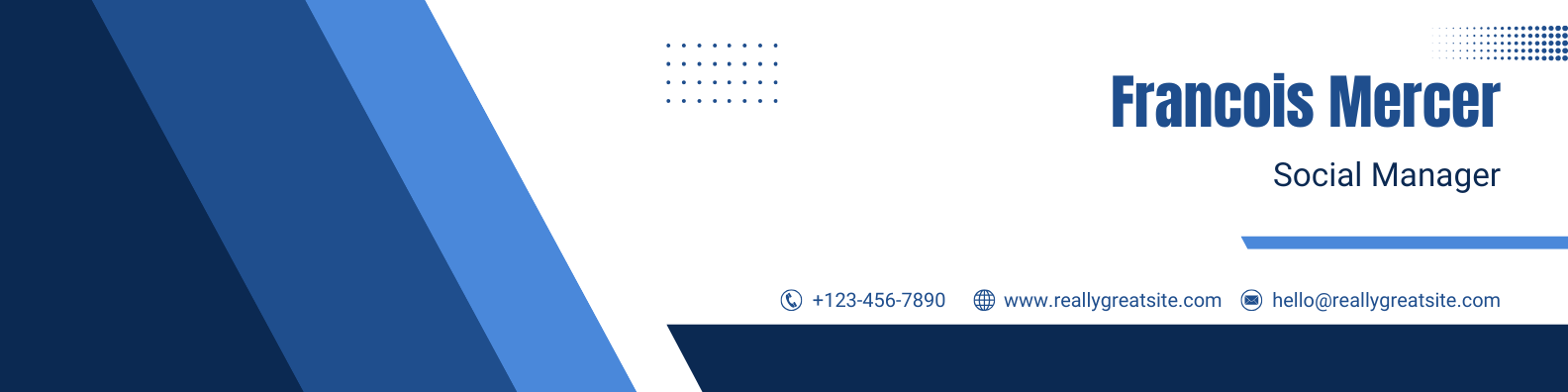
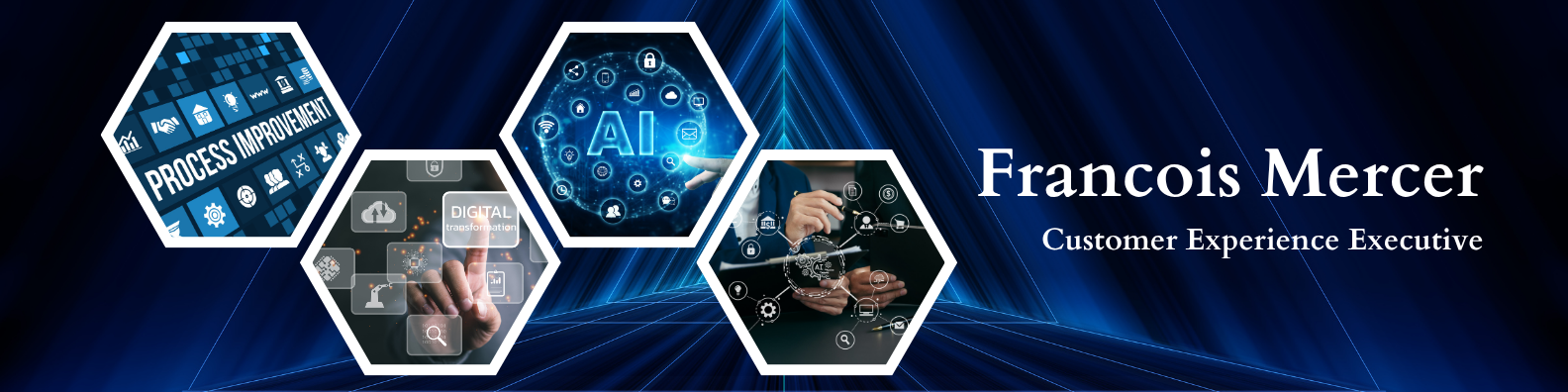
- Stick to a simple, clean image. A busy background with a lot going on gets lost in a small, wide strip of space. Sample banner images that are eye-catching are below.
What to Avoid
A few common mistakes turn what should be a strength into a distraction:
- Text-heavy banners. A banner packed with slogans or a paragraph of text is hard to read at that size and can look cluttered next to your headline.
- Low-quality stock photos. Generic images of handshakes or city skylines pulled from an overused stock library can feel impersonal, and some viewers will recognize them.
- Mismatched tone. A banner that clashes with your headshot, like a very casual vacation photo next to a formal headshot, can send mixed signals about how you present yourself.
- Images that don't survive cropping. Anything with important details near the edges risks getting cut off on mobile.
Where to Get/Create Your Banner
If you have a good personal photo that tells a great story, use it. When you partner with Endeavor Agency, we can resize your picture to fit this space. If you don't have one handy, give us some keywords, and we'll search our extensive library of high-quality stock photos. Tell your story with a great image and make use of this prime marketing real estate in your executive job search.
You can also build your own banner for free using online tools like Canva's LinkedIn banner templates or Adobe Express's LinkedIn banner templates. Both offer templates already sized correctly for LinkedIn, and both are free to use, though you'll need to set up a free account with each one to save and download your design.
Frequently Asked Questions About Using the LinkedIn Banner Space in Your Job Search
What size should a LinkedIn banner be?
LinkedIn lists its current recommended background photo dimensions on its own help pages. Check the links above for the most up-to-date numbers, since LinkedIn does update these from time to time.
Should I use a stock photo or a personal photo?
A personal photo that tells a real story about you is usually stronger than a generic stock image. If you don't have a good one on hand, a well-chosen, high-quality stock image is a reasonable stand-in, but it shouldn't look like it came from a template everyone else is using too.
Does my LinkedIn banner actually matter to recruiters?
It's part of the first impression someone forms in the few seconds they spend on your profile, alongside your photo and headline. It won't get you hired on its own, but a blank or poorly chosen banner is a missed chance to say something about who you are before anyone reads a word.
Can I use the same banner on my company page and my personal profile?
You can reuse the same design concept, but not the same exported file. LinkedIn uses different dimensions for personal profiles and company pages, so an image sized for one will look stretched or cropped wrong on the other. Check LinkedIn's image specifications for Pages for the current company page size, and export your design at both sizes separately.
About Endeavor Agency
Endeavor Agency is a leading executive career coaching company helping individual executives, VPs, senior managers, professionals, and recent college graduates find the jobs they truly want. Our additional resources, expertise, and career change specialists help our clients uncover more and better job opportunities than what they could access on their own.
Endeavor Agency helps rebrand clients to effectively communicate their value throughout the interview process and increase their odds dramatically of winning offers. Additionally, Endeavor Agency helps clients achieve better results in negotiating the terms of their employment agreements.
Endeavor Agency also provides executive coaching, outplacement services, and business consulting services. Endeavor can also help guide executives focused on the private equity and venture capital market segments.